
Computer Application
Project 1 : Revit Modeling & Documentation
This project involves the production of Revit model of the selected architecture design using Architectural Components such as Wall, Roof, Stairs, Floor, Curtain Wall, Doors and Windows. At the end of the project, the model shall be used to generate documentation drawings, using Revit Architecture’s Documentation Components such as Sheets, Titleblock, Sections, Room Tags, Schedule & etc.
The building I choose is the building from my final project during semester 2. Before i begin building a 3D model, i insert the image in Revit and start tracing out the plan.


Make the building become 2 storeys.
Edit the property of the wall


Build the main door and sliding door in Revit Family
Build a staircase.
Build the railing at the balcony for safety


Create roof
Insert all the doors and windows
Create skylight
Sketch roof pitch arrow
Create two section lines

Label interior space
Tag room for section


Cut profile on the floor and wall
Create hidden pad-footing with dash line
Create detail line


Create exploded view by clicking displace element to create displacement set and move along with the axis. Then, click path to genertae the displacement path.
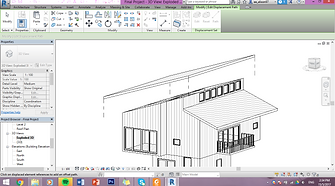


Create the callouts section
Insert the details of the building.
Create the room schedule
Create an A1 sheet and drag the floor plans into the sheet.Same as the elevations,sections,callsout sections and the room schedule.

The final building

Project 2: Exterior and Interior Renderings
This project involves the production of photo realistic still renderings using 3DS Max of the selected
architecture design with materials, appropriate camera views and post-production enhancement on the visual
outcome. The visualisation work would be assessed on the types and ways materials are used, types of lights and effects used to set up the scene, setup of appropriate camera views for rendering and skills of using postproduction tools to enhance the visual outcome.
From the previous project, we have to export the revit file to FBX file and import it to 3ds max


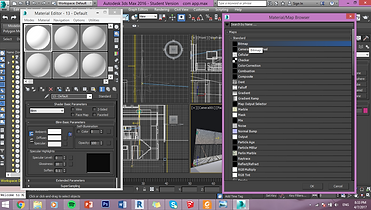
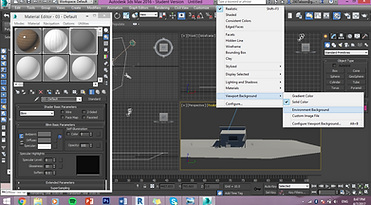

change the width and height
choose the renderer as mental ray
choose mr Photographic Exposure Control under exposure control in environment and effects
edit the material by pressing the diffuse and press bitmap to choose the own material
edit the environment background to become sky

after getting the angle, render the image
save the image and insert the image in photoshop to add the background and human figure with shadow

adjust the angle of camera and sun
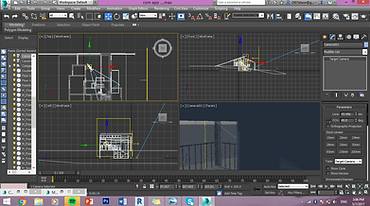


adjust the camera angle in the building to get the interior angle
adding the sky portal to increase the brightness of interior
after getting the angle, render the image
save the image and insert the image in photoshop to add the background and human figure with shadow


Final image
From this project, i learnt to use lights in 3DS Max for exterior and interior rendering. I also learnt to set up good photographic compositions using cameras in 3DS Max for final rendering. I also understand and execute the appropriate rendering settings and also to enhance the visual outcome of the renderings using post-production tools.