
Building Information Modeling
Project 1 : BIM Applications in AEC Infographics
In this project, we have to apply understanding of Building Information Modeling and its relevance to the changing profession and demonstrate integration of information learned in particular building technologies and building sciences. We need to identify ONE specific area from the following and conduct a literature review based on case studies of application/research in BIM.
1 Project Management 2 Digital Heritage & Conservation 3. Energy Analysis
4 Risk Assessment 5. Geographical InformationSystem (GIS) 6.Virtual Prototyping
From the areas above, I choose to identify 'Energy Analysis' as I want to learn more about the information of energy analysis in BIM. The findings are presented in the form of an infographics.

Project 2A : Building Detail Modeling
From the previous Revit model created in Computer Applications module, we are required to produce detailed model of an identified architectural component (roof / wall / floor / stairs & etc.). We are to identify ONE specific architectural component from our own project (roof / wall / floor / stairs & etc.) and model the component to LOD 300. The model have to be created in a new 3D view assigned with appropriate name. This model will be used to generate Detail drawings in Project 2b.
By using the Revit model created in Computer Applications, I choose to identify the floor and model the component to LOD 300 by referring the BIM Forum The Level of Development Specification.

Image 1 : BIM Forum Page 50

Edit the structure of the floor

Create floor beam by creating solid extrusion


Create part of the structure
Lock the 3D screen and annotate the components
Project 2B : Building Documentation
In this project, we have to produce the building documentation drawings from the Revit model created in Project
2a, using Revit’s Documentation Components such as Sheets, Titleblock, Sections, Room Tags, Schedule,
Design Options and Phasing.
Using the Revit model from Project 2a, we are required to prepare building documentation drawings in
A1 size containing the following components (all to be done with at least LOD 200 except for the detail
drawing):
Plans including furniture layout
Elevations
2 Sections
1 Detail Callout on section
Phasing (existing, demolished, new)
1 Room Schedule showing area tabulation
1 Furniture Schedule
At least 3 design options
1 Detail view of the identified component with appropriate annotations (at least LOD 300)
Furniture Layout


Check the furniture under visibility column
Place a component to place furniture.

Create furniture layout in 'add filter'

Select only furniture in this filter


Elevations
Override the lines by changing to red color

The furniture display in red color.
Repeat for Lower Ground Floor furniture layout.


Sections


Select the call out section and make it into detail view.
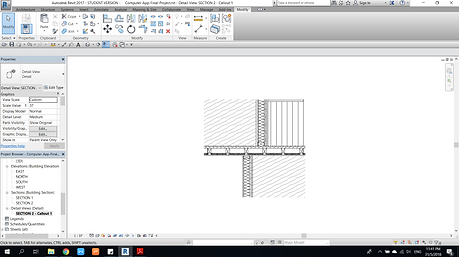
Insert the insulation and more detail of the detail drawing.
Phasing


Edit the project phase
(Existing, Demolish & New Construction)
Edit the Phase Filter

Edit the Graphic Overrides

Select all the existing components as existing

Choose the selected components as demolish
Schedule


Create new components in new construction phase. Repeat the phases in lower ground floor.

Room Schedule ( Comp App)

Select furniture in new schedule

Key in the sorting setting
Design Options

In design option, create new option set. Then, create a new option set under current option set.

For schedule properties, select type, level and count field

Furniture schedule

Select all furniture components and click 'add to set' to add the components to the options set.

Option 1

Option 2

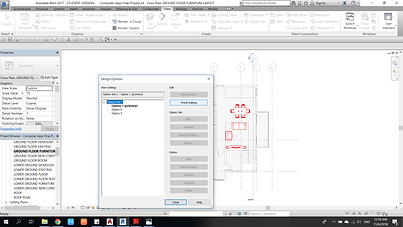
Option 3

3D Detail View (project 2a)
Complete the editing by click finish editing.
Repeat for lower ground floor.